

- Vous désirez suivre vous-même la formation? Cliquez ici.
- Vous désirez former un groupe d’employés? Cliquez ici.
This training course is intended as an introduction to the Excel software package in Microsoft Office. It teaches the basics, best business practices, and highlights common mistakes.
- Create and save a workbook
- Navigate the structure of an Excel file (workbooks, tabs, columns, rows, cells)
- Enter information into a workbook
- Analyze and process information using basic functions
- Format values within a workbook
- Prepare a workbook for printing
PART 1: Excel workbooks, their creation, content, and maintenance
- Introduction to Excel
- How to create a blank Excel file
- What is a workbook? A tab? A row? A column? A cell?
- How to create an Excel file from a template
- How to enter information into an Excel file
- How to save an Excel file
- How to open an existing Excel file
- Using formulas to process and analyze data
- How to create a function using the function editor
- How to create a function manually
- Overview of different types of functions
- How to use basic functions
- Sum
- Max/Min/Average
- Introduction to the IF function
- How to use Microsoft Help to create functions
- How to use basic paste options
- How to insert images and shapes into your Excel workbooks
- How to manage cell formatting
- Discover formatting options in Excel
- Discover cell alignment options
- Discover the format painter (copy formatting)
- How to manage the page layout of your Excel files
- Discover the display options in Excel
- Discover the page layout options in Excel
This training course is offered in English.
The target audience consists of professionals who need to use Excel files in their work and are new to the software.

No prerequisites.
Each learner must use a laptop, an Office 365 or Microsoft 365 license, and an active internet connection.
Course registration includes:
- A PDF document with step by step instructions to build the course report
- A series of video clips with demonstrations (one for each step)
- A reference website with additional resources
- A forum to ask questions
This training qualifies for 0.6 continuing education units (CEUs).
 Le CFO masqué is a member of the Société de formation et d’éducation continue (SOFEDUC), which defines a Continuing Education Unit (CEU) as 10 hours of participation in a structured training activity organized and conducted by an accredited organization, facilitated by qualified instructors and culminating in an evaluation. Only SOFEDUC members in good standing are authorized to use the graphic symbol.
Coming soon.
To continue developing your Excel skills, the next training course to take is: Excel – Intermediate Level
This intermediate-level training course serves as an upgrade for professionals who already use Excel in their work and want to take their skills to the next level. It provides an overview of Excel's intermediate functions and features and offers an introduction to charts and pivot tables. It is also a recommended prerequisite for the Excel – Dashboarding (Level 1) and Excel – Financial Modeling (Level 1) courses.
To adjust the size and volume of a video, simply use the buttons shown below.
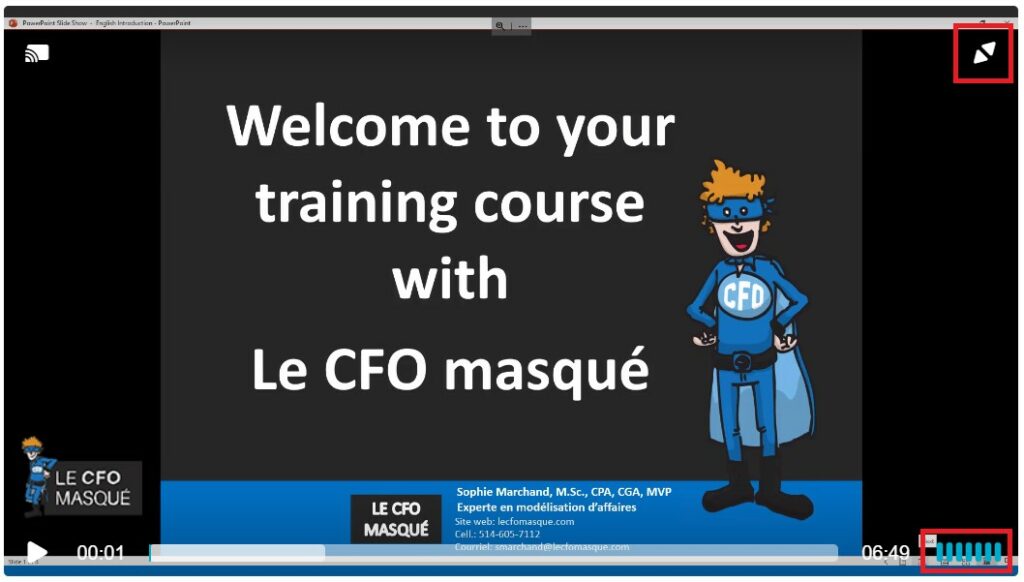
To move to the next lesson, simply click on the name of the lesson in the bottom right corner of your screen.
If you are trying to take a course that you have already purchased and are asked to purchase it again, you are logged out. Simply log back into your account and this message will disappear.
Once you have completed all the lessons and quizzes, you will see a DOWNLOAD CERTIFICATE button appear next to the course name on the course overview page. You can then click on this button to download or print your certificate of completion.
Since you have lifetime access to your training, you can listen to the videos as many times as you like. However, your certificate will only be accessible when the course is 100% complete. Therefore, before replaying a video (which will restart the counter at 0), it is strongly recommended that you download your certificate first, in order to keep a copy of it, with the original completion date.
Your e-learning course does not come with personalized help. If you have any questions, please ask them on our online forum.
You are not allowed, in any way, to share your training documents and videos with a third party, even if it is a co-worker. This clause is part of our terms of purchase and is intended to preserve our copyright. If you enjoy the content offered by Le CFO masqué, please respect this clause. This will allow us to continue to create quality material. However, we do have an affiliate program in place. Please take advantage of this program to recommend our training to your colleagues and other contacts and we will offer you a 15% commission in return.